User guide
Privacy & security
What the app protects you from, what it cannot protect you from, and the controls you have.
Screenshots are from the iPhone app. The Android app has the same features, drawn in Android's own style.
What leaves your device
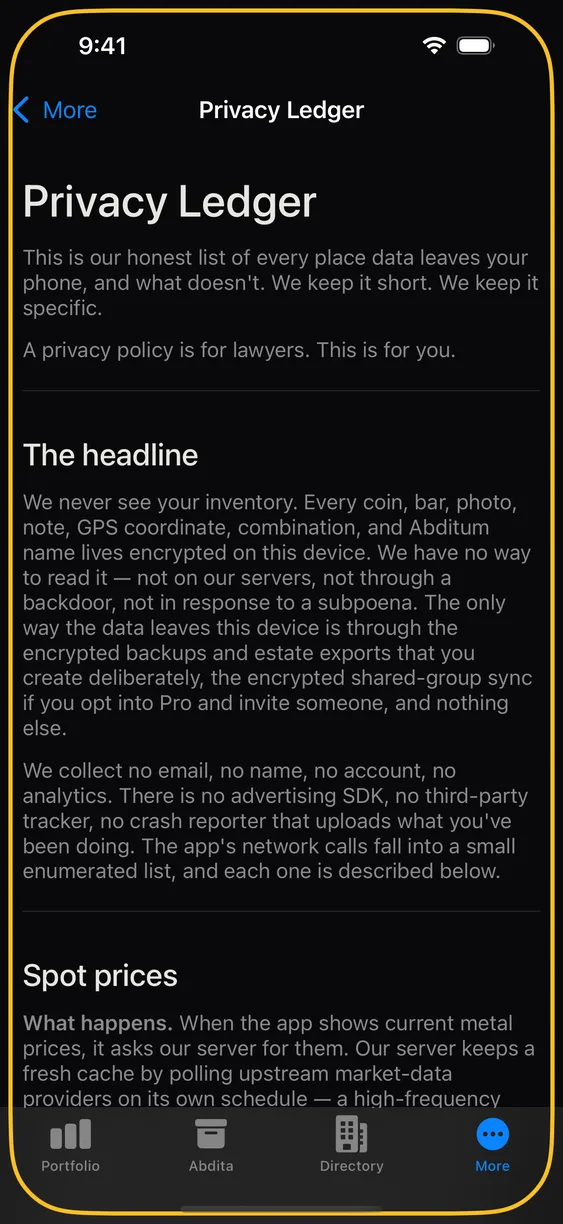
A short list, and nothing else: spot prices, dealer-directory lookups, subscription validation, an anti-abuse attestation token, and — only if you use them — encrypted blobs for shared Abdita and empty push wake-ups for alerts.
Your holdings are not on that list. Neither is an email address, a name, a location, or an advertising identifier, because the app never asks for any of them.
More ▸ Privacy ledger is the complete, authoritative version: every call, what it carries, why, and how long anything is kept. It ships inside the app and updates in the same release as any change it describes. The privacy policy on this site is a summary of it; where the two ever differ, the ledger is correct.
App lock
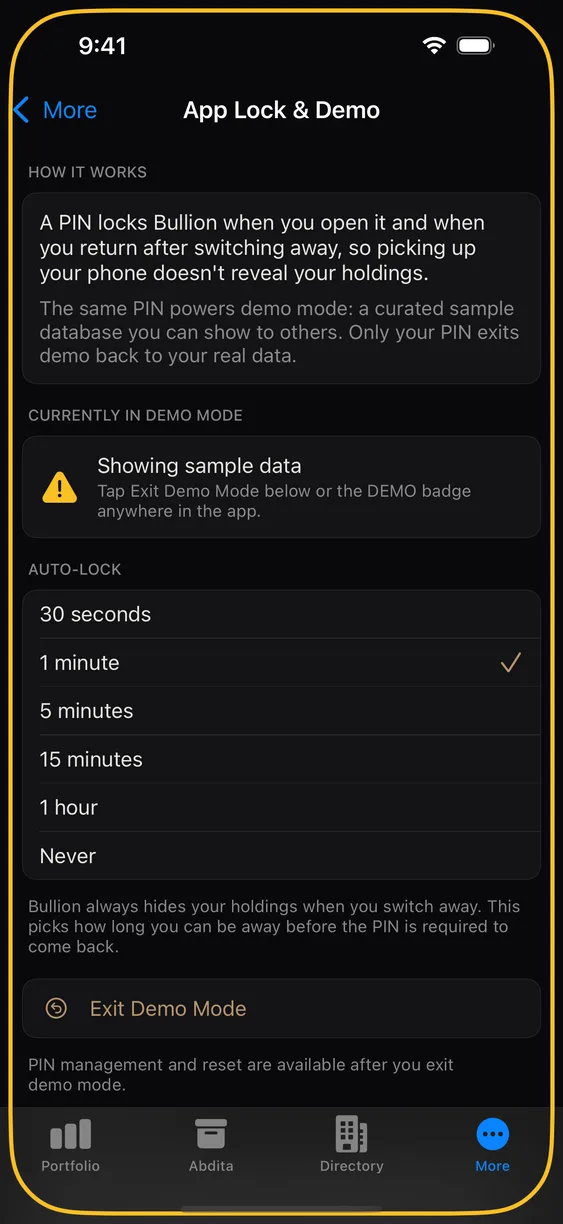
Set a PIN under More ▸ App Lock & Demo and the app asks for it on open. Your inventory is already encrypted at rest; the lock is about the person holding your unlocked phone, not about the storage.
Demo mode
Demo mode exists for a specific moment: someone asks what the app is like, and you would rather not hand them a list of your gold. Turn it on and the app switches to a bundled sample inventory. Your real database is not loaded, not queried, and not in memory — it is not hidden behind a screen, it is simply not open.
They can browse, add, edit, and delete freely; none of it touches your data. A coloured border and a DEMO label stay on screen the whole time so the state is never ambiguous, and demo mode survives force-quitting the app — the phone can be handed over and stay handed over.
Backups, Estate Export, sharing, and alert management are disabled while in demo mode, and a CSV export made there is labelled as a demo export. Spot prices and the dealer directory keep working, since those are public information.
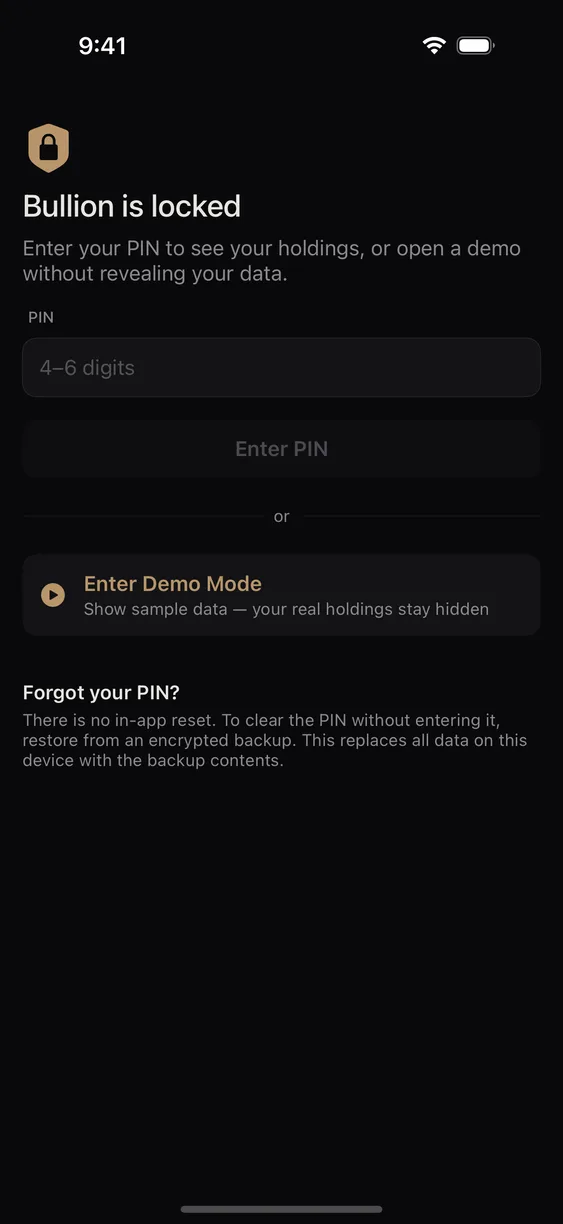
The demo PIN cannot be recovered
Only your PIN returns the app to your real data. There is no biometric shortcut — the whole threat here is a friend holding your phone while you are standing next to them, and a fingerprint prompt you would happily satisfy defeats the purpose. If you forget the PIN, the way back is restoring from a backup. Deliberately painful, and another reason to have one.
Deleting your data
Deleting the app removes the encrypted database with it. There is no server-side copy of your inventory to request the deletion of, because we never had one. If you have made backups, those files are yours to keep or destroy — we cannot reach them.
Reporting problems
For a bug, use the in-app error report: it shows you the exact contents before anything is sent, and you can cancel. It carries diagnostic detail about what the app was doing — never your holdings.
For a security vulnerability, do not use support email. The security page has the disclosure process, our PGP key, and our response commitment.